Rob Run ESP Guide: A Player ESP Setup You Can Read
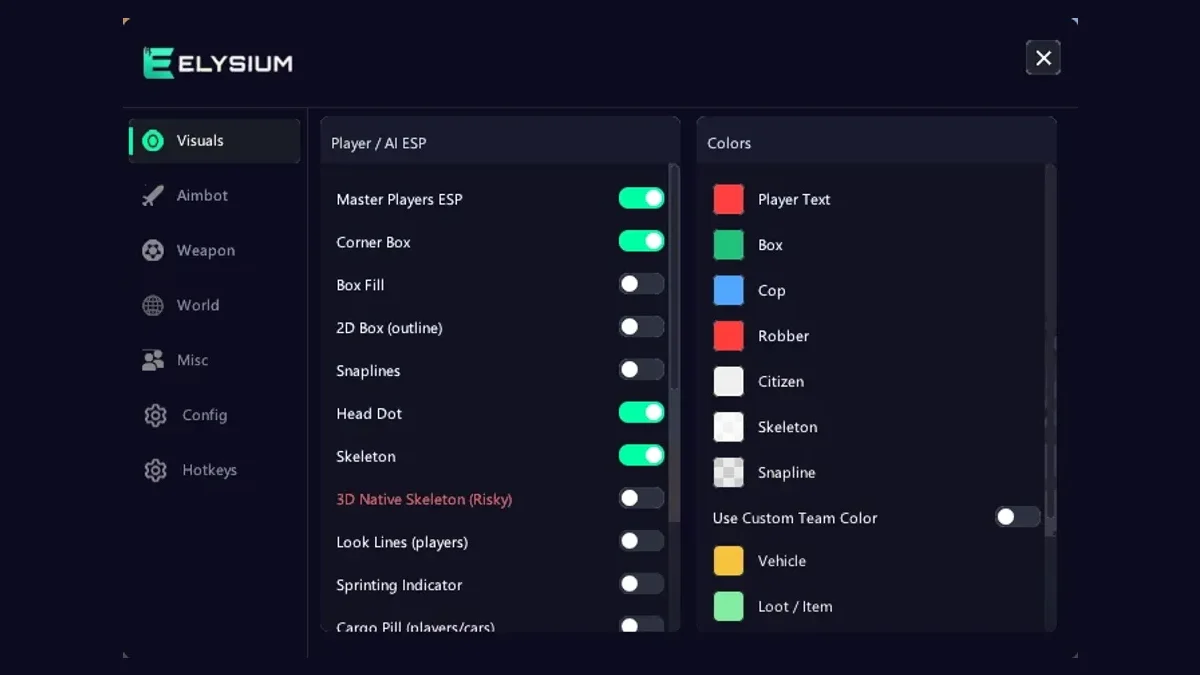
Player ESP is the feature most people turn on first when they try Rob Run cheats, and it is also the one most people set up badly. Switch on every option and your screen turns into a wall of boxes, lines, and text that you cannot read in a fight. This guide walks through the player ESP in Elysium RR and shows you how to build a Rob Run ESP layout that gives you the right information at a glance.
Start with one question
Before you touch any setting, ask yourself what you need to know about another player in the first second you see them. For most people it is three things:
- Where they are
- Whether they are a threat right now
- Whether they are worth chasing or avoiding
Everything in the visuals tab should serve one of those. If an option does not, leave it off until you have a reason to use it.
Pick one box style
The menu offers a corner box, a full 2D box, and box fill. You only need one.
- Corner box is the cleanest. Only four short brackets sit around each player, so you can still see doors, cover and loot right behind them.
- 2D box stands out better when players are small and far off, but in a busy store with several people the frames pile on top of each other.
- Box fill adds a shaded area inside the box. It is useful when players are far away and small, but most people find it too heavy for close fights.
A good starting point for most Rob Run cheats users is corner box with no fill. If you play mostly in open areas with long sight lines, try the 2D box instead.
Skeleton or head dot
The skeleton draws a player's body lines, which tells you which way they are facing and whether they are crouched. The head dot is a small marker on the head only.
With Rob Run ESP, less is usually more, so use one or the other at first. Skeleton gives more information, head dot gives less clutter. There is also a 3D native skeleton, but it is marked risky in the menu, so we suggest keeping it off. The normal skeleton does the same job for reading poses.
Look lines show where a player is facing. They are worth turning on once you are comfortable, because they tell you if someone is already watching your path before you step out.
Snaplines: on for some, off for most
Snaplines draw a line from your screen to each player. Snaplines are the loudest part of any Rob Run ESP setup. They are great for finding people who are off to your side, but with five or six players around they make a mess. Many players keep snaplines off and use the Rob Run radar for direction instead. The radar does the same job in a small corner of the screen.
Rob Run ESP text that is worth reading
The info options are where most clutter comes from. These are the ones that tend to earn their space:
- Names so you can track the same person across a round
- Roles so you know at once if you are looking at a cop or a robber
- Health bar and armor bar to decide whether to push or back off
- Weapon so you know what they can do at your range
- KO status so you do not waste time on someone who is already downed
Clan tags are useful if you keep running into the same group. Icons make roles faster to read than text. Try icons with names off if your screen still feels busy.
Movement indicators
The sprinting and crouching indicators tell you how a player is moving without needing to read their skeleton. A crouching player near a door is usually setting up an ambush. A sprinting player with a cargo pill is usually running loot to a buyer, which is a target worth knowing about.
The cargo pill is one of the most useful markers in the whole tab. It shows that a player is carrying cargo, so you know who has value on them.
Teammates and hidden players
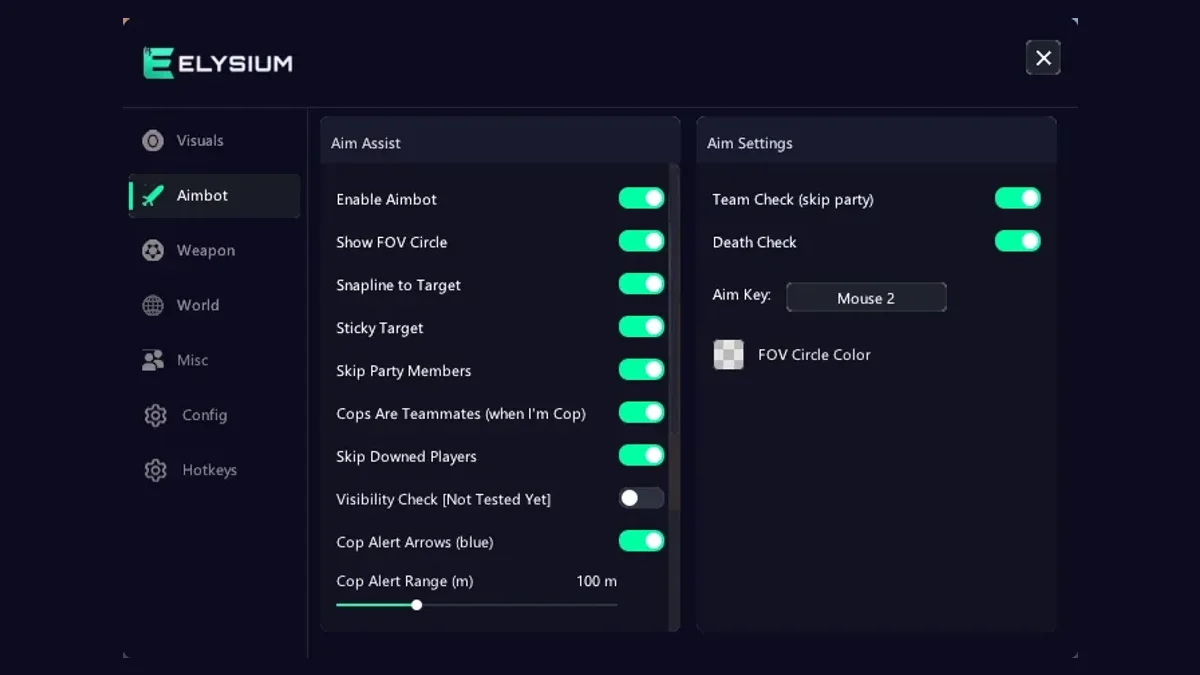
Turn on teammate highlight. It is easy to forget who is in your party when a fight starts, and shooting at a box that turns out to be your friend wastes time. If you also use the Rob Run aimbot, the skip party members option in the aimbot tab works well alongside this.
Hidden player detection marks players that are tucked out of sight. This is helpful in stores and warehouses with lots of shelves, where someone can wait behind cover for a long time.
A Rob Run ESP layout to copy
If you want a simple starting point, try this:
- Corner box, no fill
- Skeleton on, head dot off
- Names, roles as icons, health bar
- Weapon on
- KO status on
- Cargo pill on
- Teammate highlight on
- Hidden player detection on
- Snaplines off, look lines on
- Max ESP distance set to cover the area around you, not the whole map
That gives you position, threat level, and value for every player without drowning the screen.
Distance matters more than you think
The max ESP distance setting in the world tab affects how far ESP reaches. A short range keeps your screen focused on people who can actually affect your next fight. A long range is helpful as a robber planning a route, but it fills the screen with far-off players. Many people keep a shorter range for player ESP and lean on radar for anything further.
Keep it readable while streaming
Elysium RR draws ESP on a StreamProof overlay that your OBS scene and Discord stream never see. That does not mean you should play as if no one can tell. Reacting to someone through a wall too early is still visible in how you move. Use your Rob Run hacks to plan, then let your actions look natural.
Save it once you like it
When your layout feels right, save it in the config section. Good Rob Run cheats let you keep more than one setup, and you can keep separate configs for different roles, for example one with more world markers for robbing and one with more player info for cop shifts. You can also bind feature hotkeys so you can toggle ESP pieces on and off without opening the menu.
If you have not installed the menu yet, follow our setup guide, then come back here and work through the visuals tab one section at a time. Plans for Elysium RR, from a week up to lifetime, are on the PlayWithCheats product page.
What to do next
Spend one round with only boxes, names, and health. Then add one option at a time and ask if it helped. Within a couple of sessions you will have Rob Run ESP that shows you what matters and nothing else. When that feels settled, move on to the world markers and cash features covered in the loot and cash ESP guide.
Get Elysium RR for Rob Run
External, StreamProof, currently undetected. 7 Days $14.99 · 30 Days $29.99 · Lifetime $139.99
More Rob Run guides
Rob Run Anti-Cheat Update and HWID Bans: Who Gets Hit
If you use Rob Run cheats, you have probably seen the chatter this week: players saying they got hit with hardware bans after the latest anti-cheat changes. Some lost one account. Some say every account on the same PC...
Read article →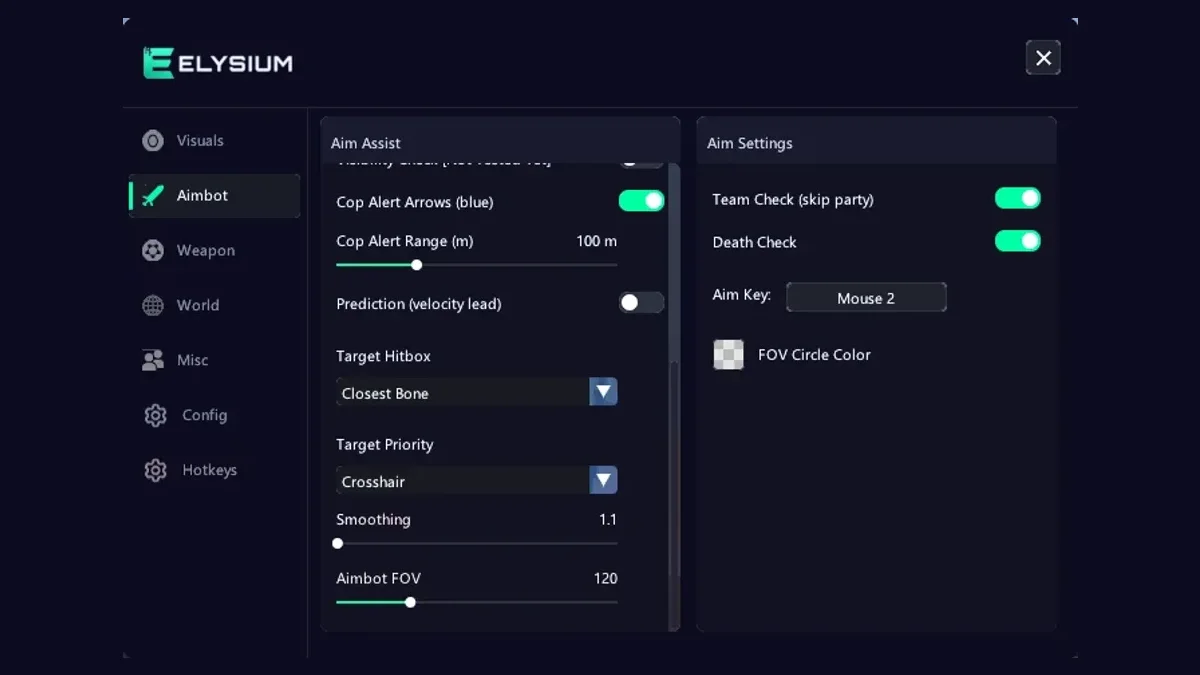
Rob Run Aimbot Settings: Smoothing, FOV and Prediction
An aimbot is the part of Rob Run cheats that other players notice first. ESP happens on your screen. Aim happens in front of everyone. A badly tuned Rob Run aimbot can turn a quiet session into a pile of reports, while...
Read article →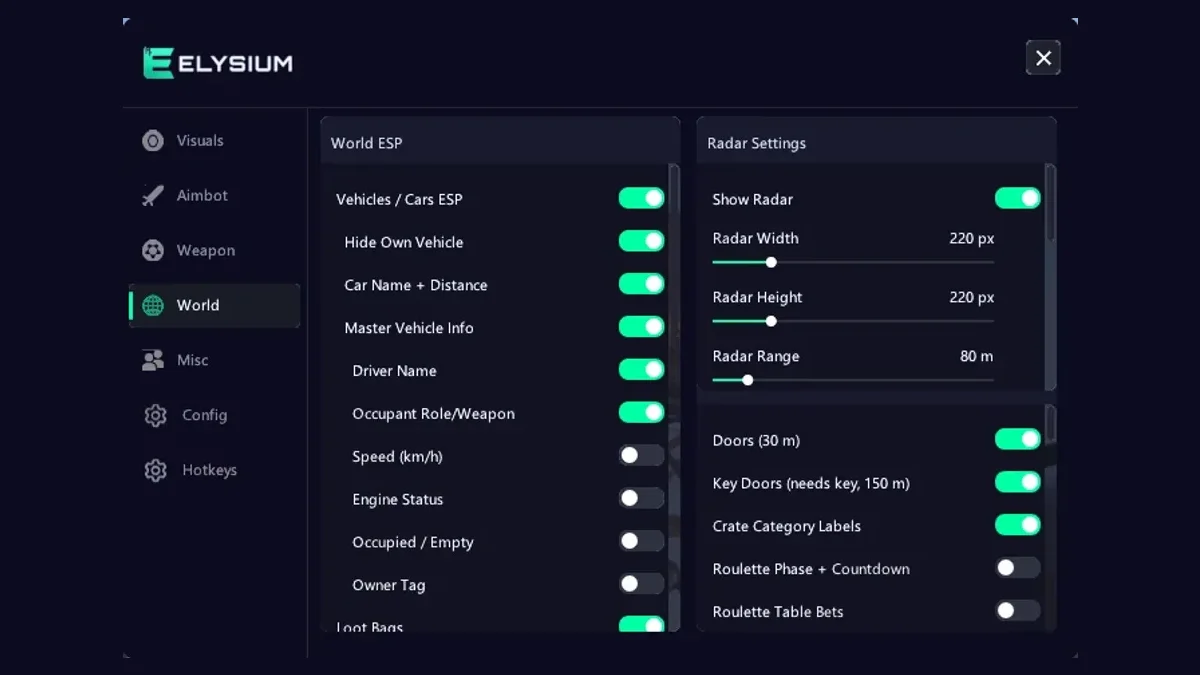
Rob Run Loot and Cash ESP: Safes, Crypto Farms and Routes
Most of the money in Rob Run is not made in gunfights. It is made by knowing where the value is, getting there first, and getting it to a buyer without losing it. That is where the loot side of Rob Run cheats pays off....
Read article →